Basic Linux Shell Scripting for DevOps Engineers

Day 4 Task: Basic Linux Shell Scripting for DevOps Engineers.
What is Kernel
The kernel is a computer program that is the core of a computer’s operating system, with complete control over everything in the system.
What is Shell
A shell is a special user program that provides an interface for users to use operating system services. Shell accepts human-readable commands from the user and converts them into something which the kernel can understand. It is a command language interpreter that executes commands read from input devices such as keyboards or from files. The shell gets started when the user logs in or start the terminal.
What is Linux Shell Scripting?
A shell script is a computer program designed to be run by a Linux shell, a command-line interpreter. The various dialects of shell scripts are considered to be scripting languages. Typical operations performed by shell scripts include file manipulation, program execution, and printing text.
-->Explain in your own words and examples, what is Shell Scripting for DevOps.
A Bash Shell Script is a plain text file containing a set of various commands that we usually type in the command line. It is used to automate repetitive tasks on the Linux filesystem. It might include a set of commands or a single command, or it might contain the hallmarks of imperative programming like loops, functions, conditional constructs, etc. Effectively.
-->What is #!/bin/bash? can we write #!/bin/sh as well?
Bash is a command line interpreter that typically runs in a text window where users can interpret commands to carry out various actions. The combination of these commands as a series within a file is known as a shell script. Bash can read and execute the commands from a shell script.
-What is #!/bin/bash
Where #! is referred to as the shebang and the rest of the line is the path to the interpreter specifying the location of the bash shell in our operating system. SheBang (#!) The She Bang (#!) is a character sequence consisting of the character's number sign (#) and exclamation mark (!) at the beginning of a script. when a script with a shebang runs as a program, the program loader parses the rest of the lines with the first line as an interpreter directive. So, SheBang denotes an interpreter to execute the script lines, and it is known as the path directive for the execution of different kinds of Scripts like Bash, Python, etc.
- can we write #!/bin/sh as well? #!/bin/sh can be used to specify the interpreter as the default system shell. This is often used when portability is a concern, as the sh shell is more widely available and is typically installed on most Unix and Linux systems.
\==>Write a Shell Script that prints I will complete the #90DaysOofDevOps challenge
open any editor like vi, vim, or nano and create one file like
#vim 90DaysOofDevOps.sh
#chmod 777 90DaysofDevOps.sh
#ls -lrth
./90DaysofDevOps.sh



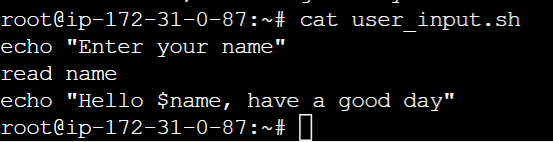
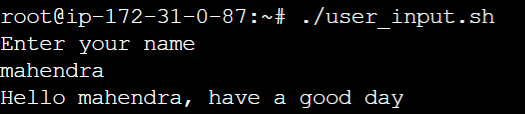
\==>Write a Shell Script to take user input, input from arguments, and print the variables.
vim user_input.sh
chmod 777 user_input.sh
./user_input.sh
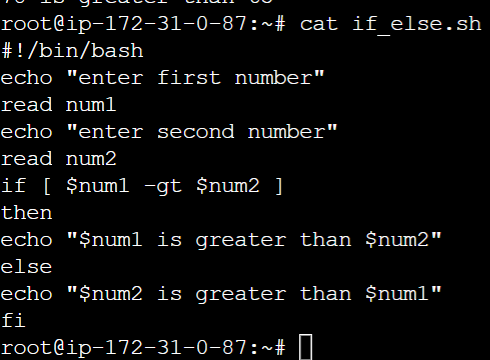
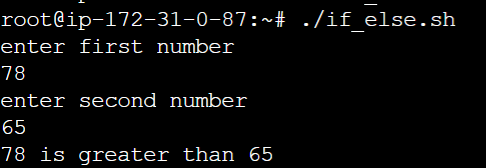
- Write an Example of If else in Shell Scripting by comparing 2 numbers